
Gigabyte B760 Gaming X Motherboard
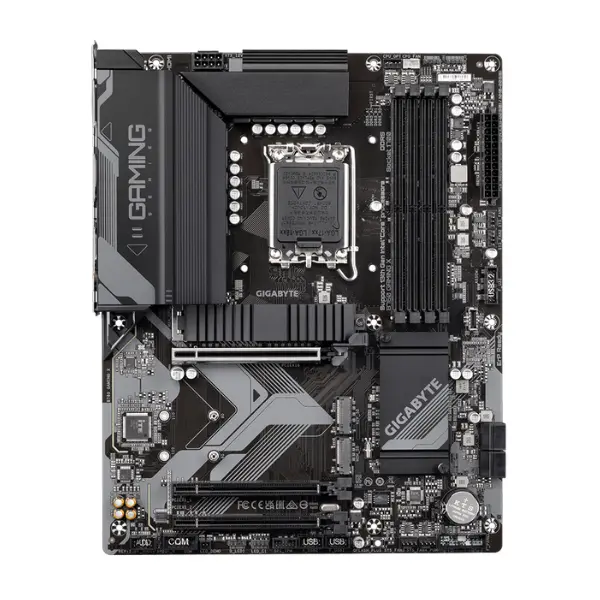
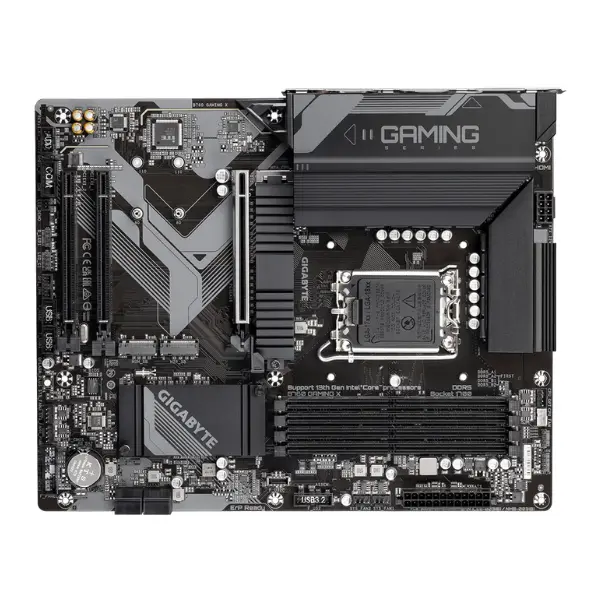
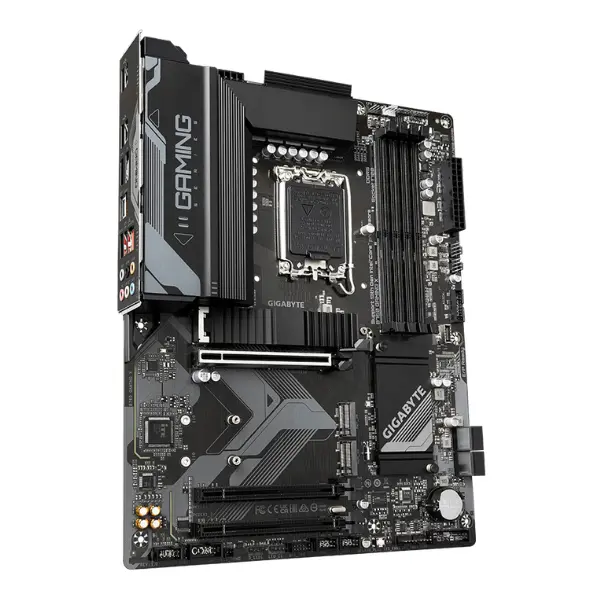
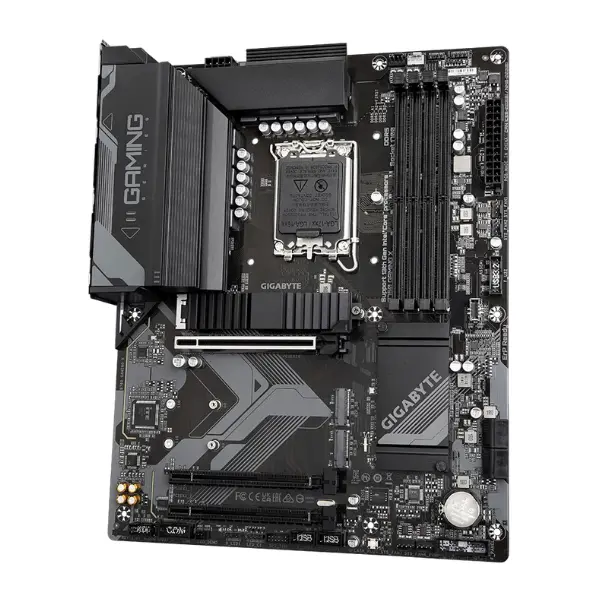
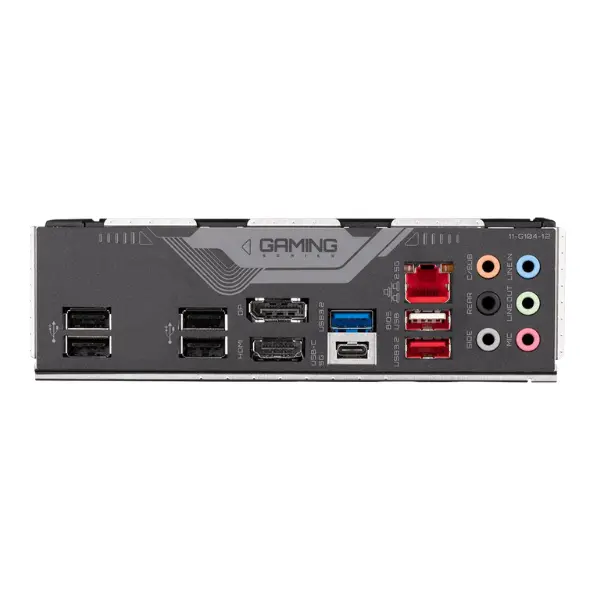






- DDR5
Gigabyte B760 Gaming X - Description
Gigabyte Gaming Motherboard
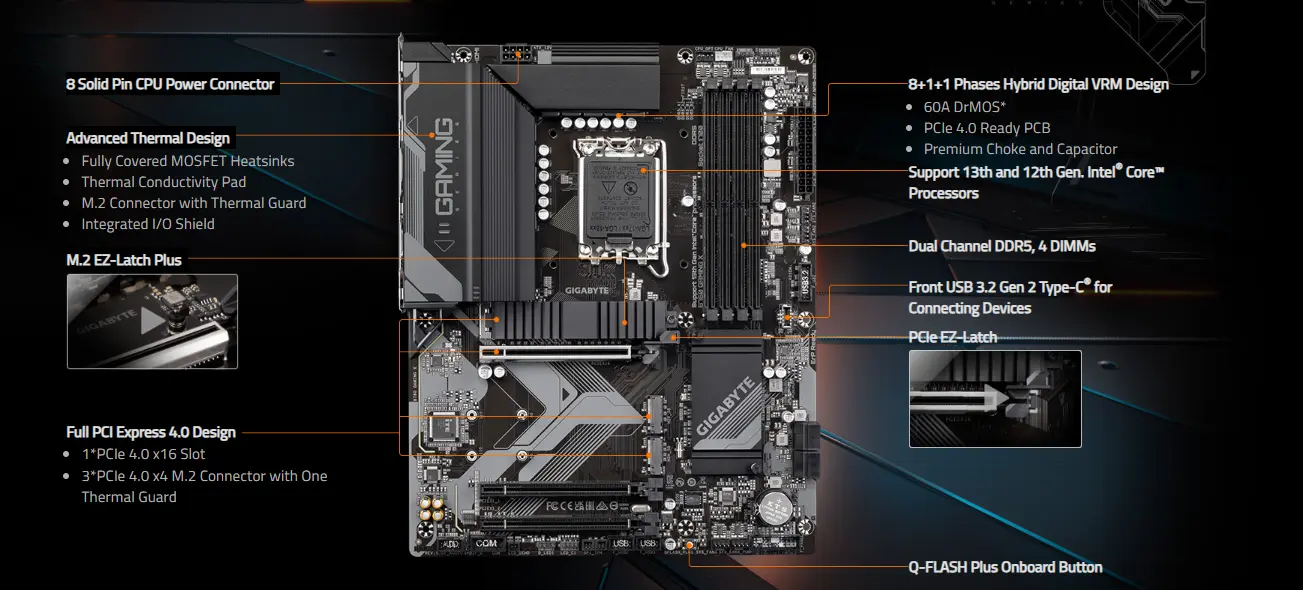
Gigabyte B760 Gaming X motherboard is designed to support Intel® Core™ 14th, 13th, and 12th generation processors, delivering exceptional performance through an advanced Hybrid 8+1+1 phase digital VRM setup. It features dual-channel DDR5 memory support across four DIMM slots with XMP compatibility, along with high-speed storage options via three PCIe 4.0 x4 M.2 slots. Its thermal design includes M.2 Thermal Guard and optimized VRM cooling to maintain stable power delivery and SSD performance.

Performance:
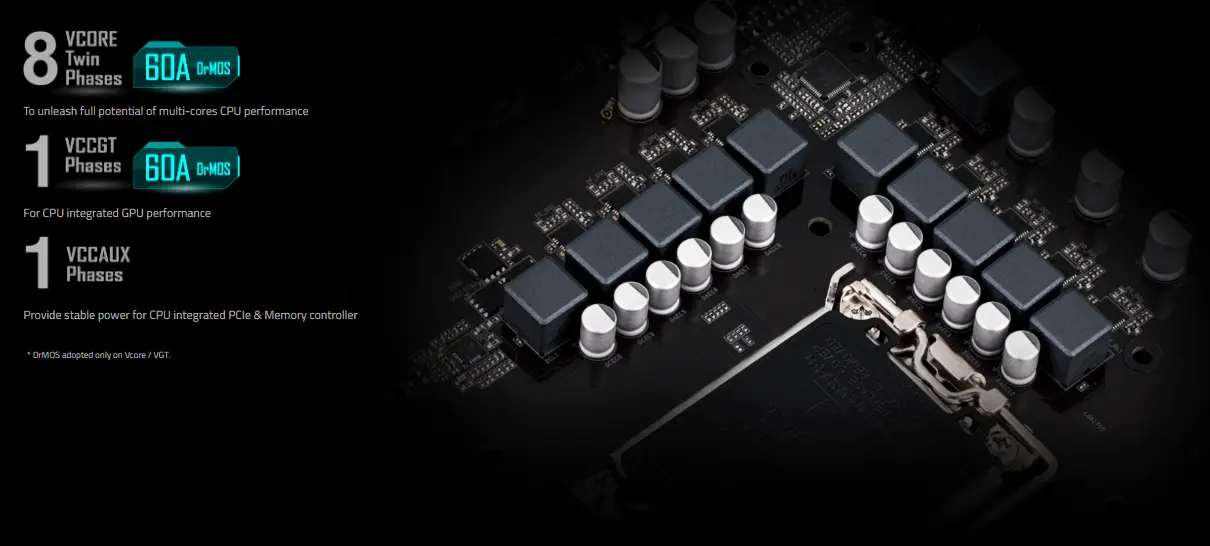
This motherboard is engineered for top-tier performance and thermal efficiency. It features an 8 solid pin CPU power connector and a robust 8+1+1 phase hybrid digital VRM design with 60A DrMOS, ensuring stable power delivery. The board is optimized with fully covered MOSFET heatsinks, high thermal conductivity pads, and an M.2 thermal guard for effective heat dissipation.
Connectivity:
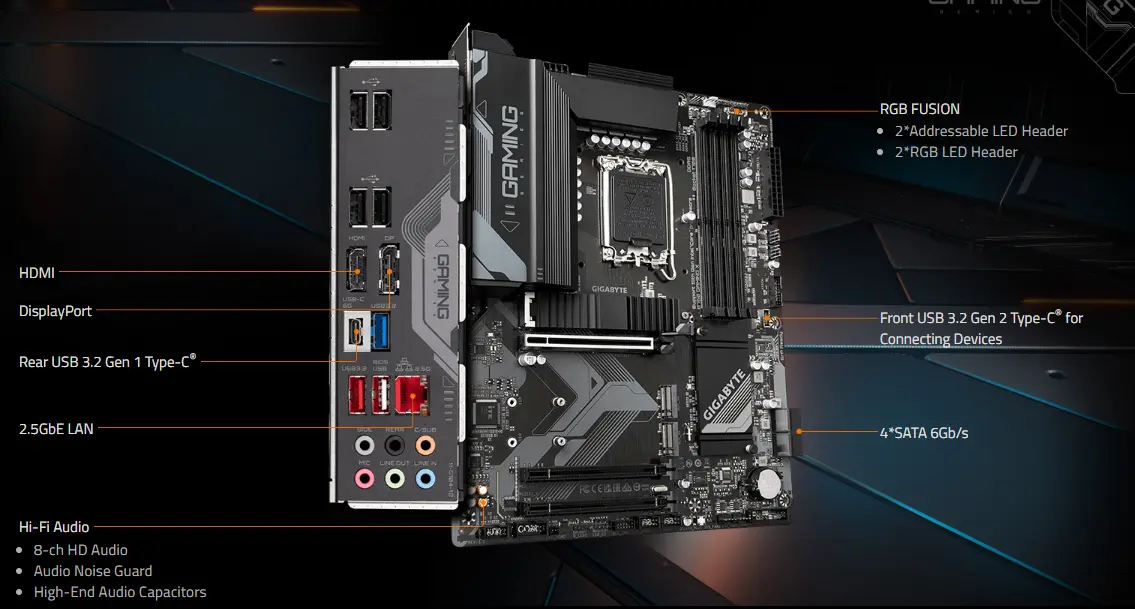
This motherboard offers a wide range of connectivity and audio capabilities. It includes HDMI and DisplayPort outputs for high-definition display support, along with rear and front USB 3.2 Gen 2 Type-C® ports for high-speed device connections. Networking is enhanced with a 2.5GbE LAN port for fast and reliable internet access.
Hybrid Digital VRM Design:
To deliver optimal Turbo Boost and overclocking performance for the latest Intel CPUs, GIGABYTE GAMING series motherboards feature a cutting-edge VRM design built with top-tier components for maximum power efficiency and stability.
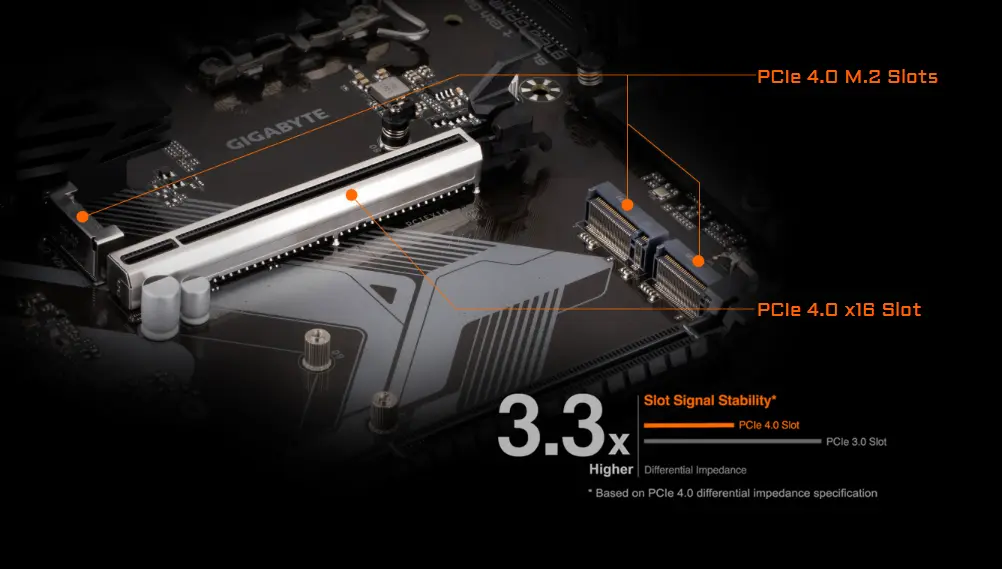
PCIe 4.0 Design:
GIGABYTE B760 motherboards are fully compatible with PCIe 4.0 devices, offering up to three times the bandwidth of PCIe 3.0. To ensure maximum speed and signal quality, GIGABYTE employs a low-impedance PCB design for superior performance.
Unlock DDR5:
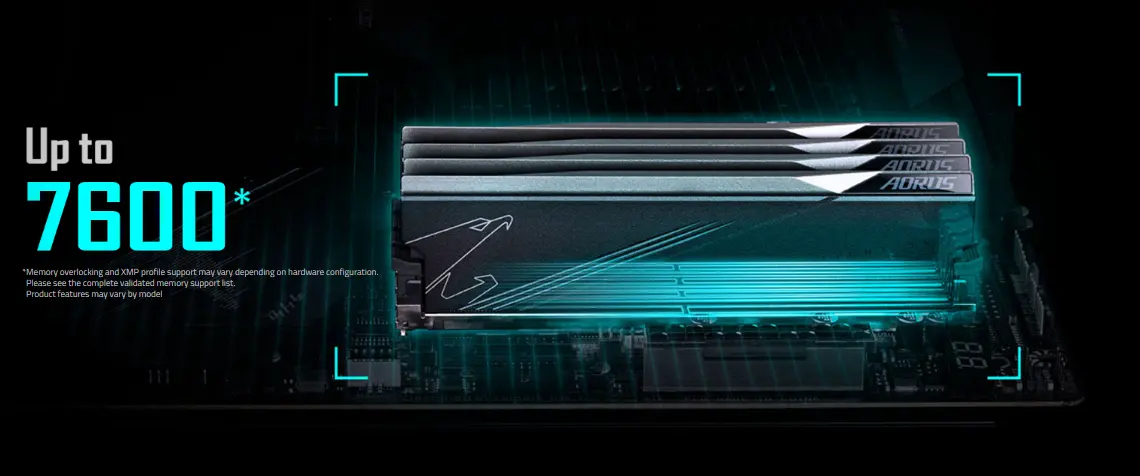
DDR5 Overclocking Up to 7600 and Beyond:
GIGABYTE provides a stable and tested platform capable of pushing DDR5 memory speeds to 7600 MHz and beyond. Users can easily boost memory performance by enabling XMP on supported DDR5 modules, as long as the memory is XMP-ready and installed on a GIGABYTE motherboard.
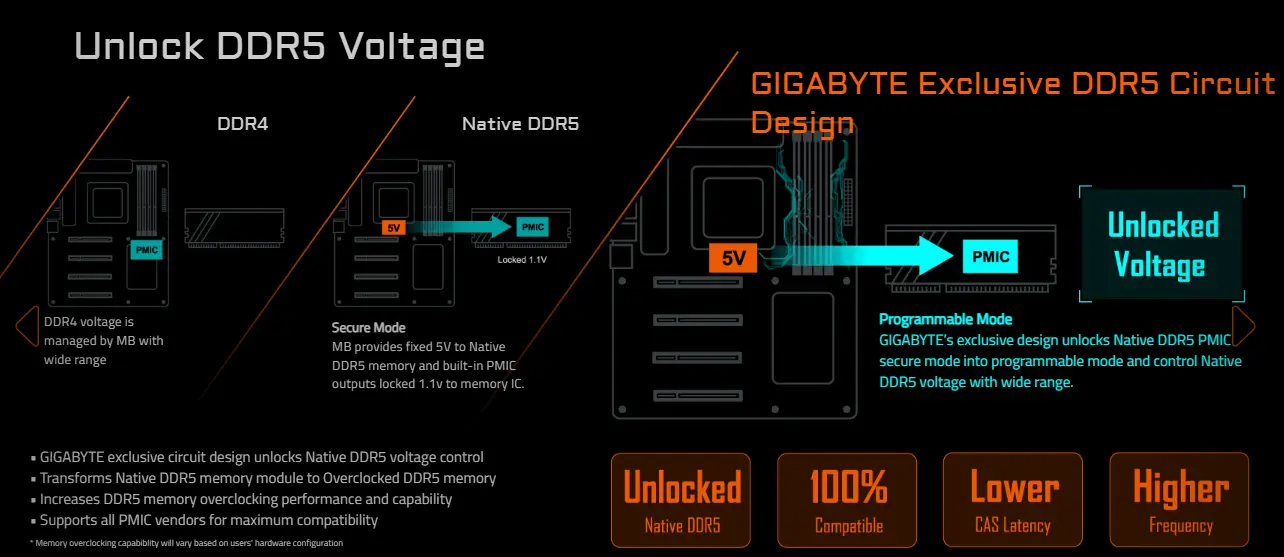
Unlock DDR5 Voltage:
With GIGABYTE's exclusive circuit design, users can gain control over native DDR5 voltage, converting standard modules into high-performance overclocked memory. This design enhances overclocking potential and supports all PMIC vendors for broad compatibility. Additionally, GIGABYTE unlocks the secure mode of DDR5 PMIC into a programmable mode, allowing wider voltage tuning for advanced memory tuning and optimization.
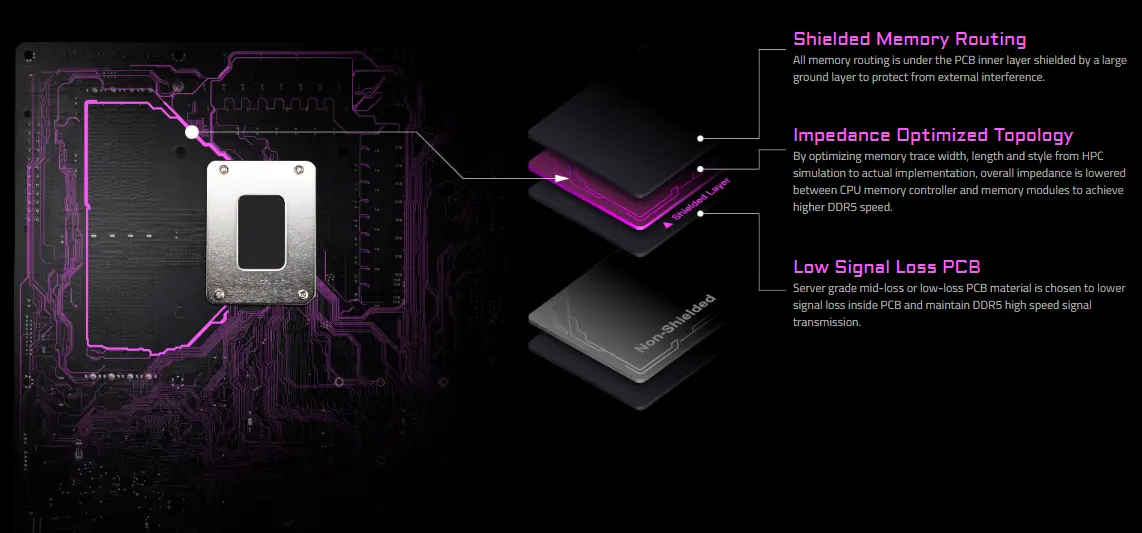
Shielded Memory Routing and Enhanced DDR5 Signal Design:
All memory signal paths are routed beneath the PCB's inner layers and shielded by a large ground layer, reducing interference from external noise.
Impedance-Optimized Layout:
Memory traces are carefully designed with optimized width, length, and routing style—based on high-performance computing simulations—to minimize impedance between the CPU memory controller and the memory modules, enabling higher DDR5 speeds.
Low Signal Loss PCB:
High-quality, server-grade PCB materials with mid-loss or low-loss properties are used to reduce signal degradation, ensuring stable and fast DDR5 data transmission.
DDR5 Auto Booster:
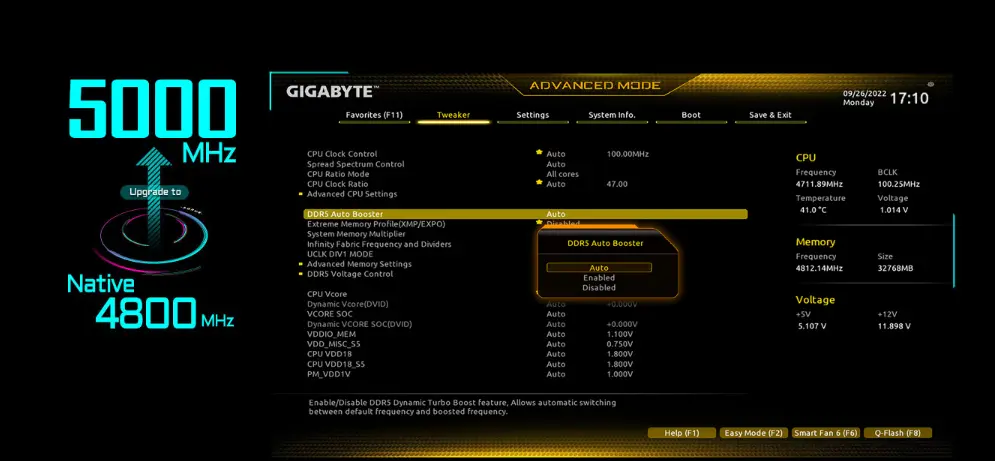
With just one click, DDR5 Auto Booster automatically increases the native DDR5 memory frequency to 5000MHz when the system is under heavy load, delivering a performance boost without manual tuning.
DDR5 Memory Upgrade:
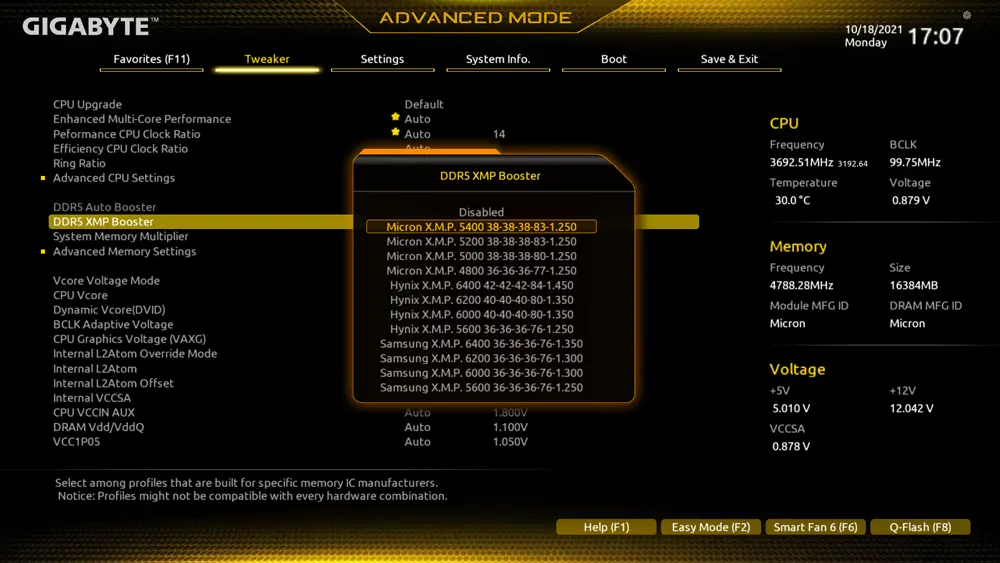
GIGABYTE BIOS includes a library of pre-validated memory profiles tailored to specific memory IC and PMIC vendors. These ready-to-use settings help users easily enhance memory performance without the need for manual overclocking, saving time while maximizing the potential of DDR5 modules.
XMP 3.0 User Profile:
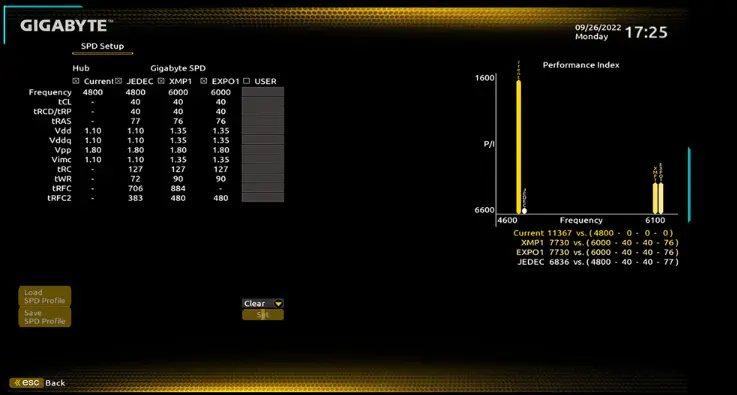
- Users can create and customize their own SPD profiles directly into DDR5 modules or apply pre-tuned profiles using XMP 3.0 User Profile.
- Up to two custom SPD profiles can be saved and transferred to another system.
- Convert DDR5 XMP Booster settings into XMP 3.0 User Profiles.
- Simulate memory performance by inputting your preferred clock speed and timings.
- Save and load profiles locally or externally, making it easy to share or reuse memory configurations.
3 x PCIe 4.0x4 M.2:
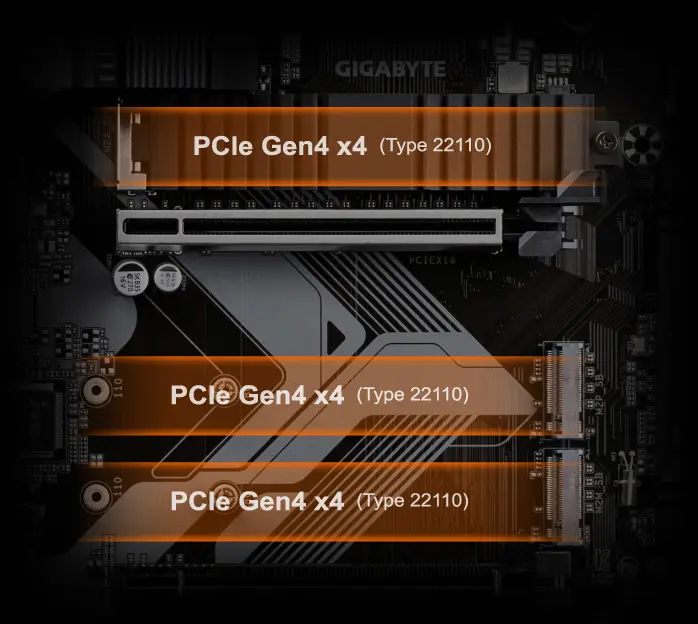
Triple PCIe 4.0 x4 M.2
GIGABYTE motherboards feature three PCIe 4.0 x4 M.2 slots, designed for users who want to take full advantage of high-speed storage and unlock their system’s full potential with next-gen M.2 technology.
PerfDrive:
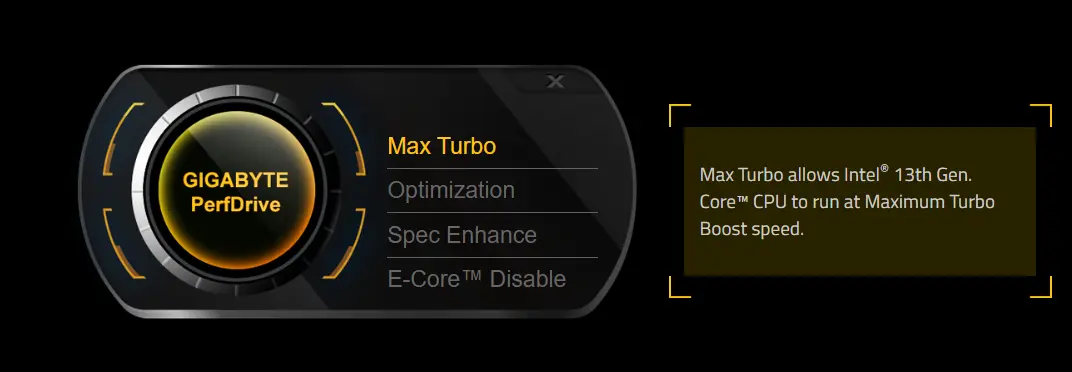
GIGABYTE PerfDrive
PerfDrive combines several exclusive BIOS features from GIGABYTE, giving users the ability to easily fine-tune their system's performance, power efficiency, and thermal output based on their specific needs—especially when using 13th Gen Intel® Core™ processors.
THERMAL
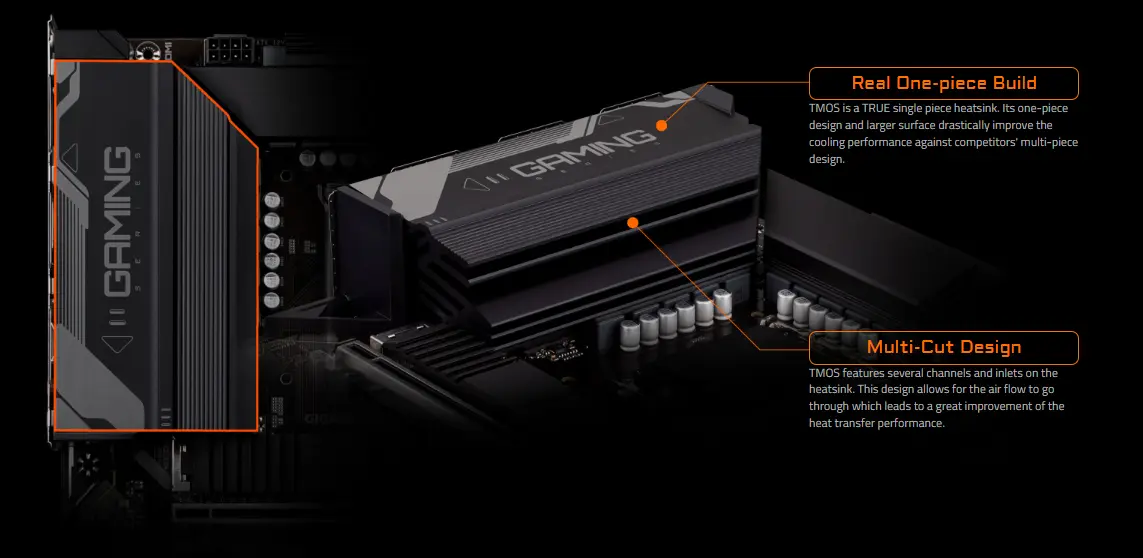
Fully Covered MOSFET Heatsink:
Real One-piece Build
The TMOS heatsink is crafted as a true one-piece structure, unlike multi-part alternatives. Its solid, unified build and expanded surface area significantly enhance cooling efficiency.
Multi-Cut Design
Designed with multiple channels and air inlets, the TMOS heatsink improves airflow and boosts heat dissipation, resulting in superior thermal performance.
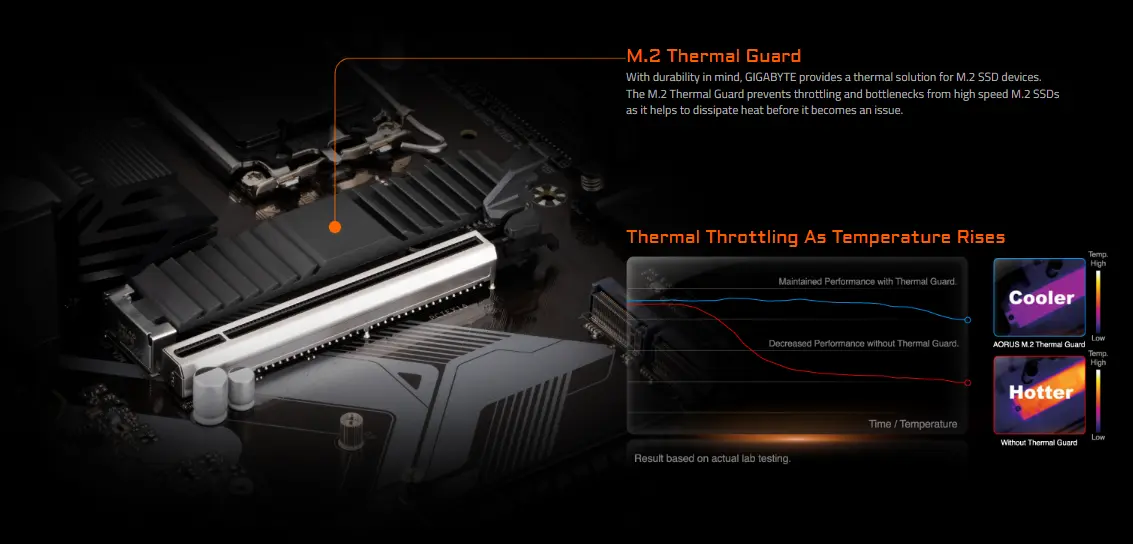
M.2 Thermal Guard
GIGABYTE equips its motherboards with an M.2 Thermal Guard to enhance the longevity and stability of high-speed M.2 SSDs. This thermal solution helps prevent performance drops by effectively dissipating heat before it causes throttling or slowdowns.
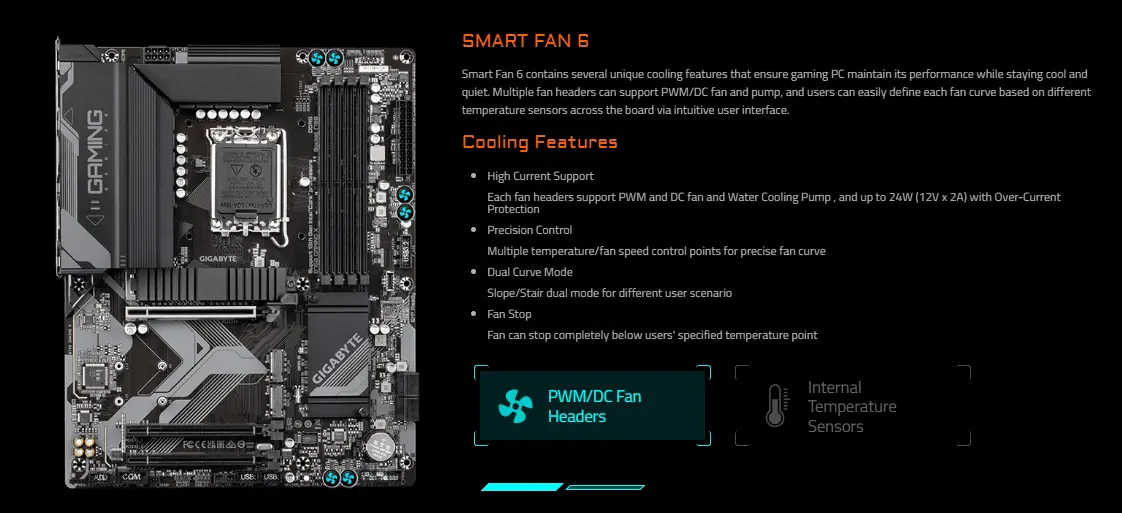
SMART FAN 6
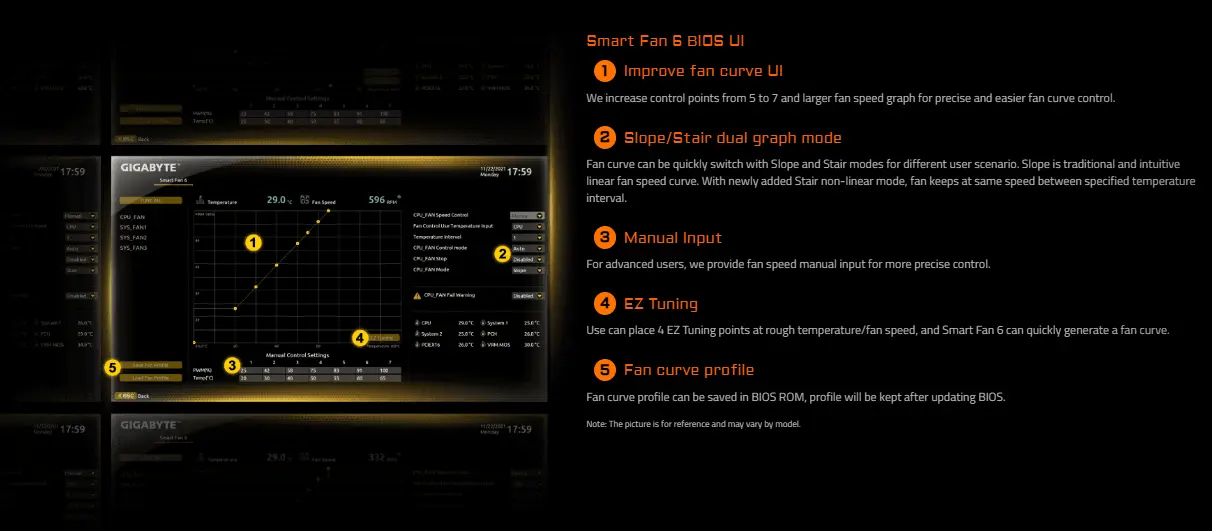
Smart Fan 6 offers advanced cooling controls to keep your gaming system cool and quiet. With multiple PWM/DC fan and pump headers, users can customize fan curves based on temperature readings from various sensors across the motherboard—all through an easy-to-use interface.
Smart Fan 6 BIOS UI
1- Enhanced Fan Curve Control:
The interface now supports 7 control points (up from 5) and features a larger fan speed graph, allowing for more precise and user-friendly fan curve adjustments.
2- Dual Graph Modes – Slope & Stair:
Users can switch between two fan curve styles. The traditional Slope mode offers a linear response, while the new Stair mode maintains a fixed fan speed within set temperature ranges, ideal for quieter operation.
3- Manual Speed Input:
Advanced users can directly input fan speed values for fine-tuned control over cooling performance.
4- EZ Tuning Mode:
With EZ Tuning, users can set 4 rough temperature and fan speed points, and Smart Fan 6 will automatically generate an optimized fan curve.
5- Fan Curve Profiles:
Custom fan profiles can be saved directly to the BIOS ROM, ensuring settings are preserved even after BIOS updates.
Connectivity:
2.5GbE LAN:
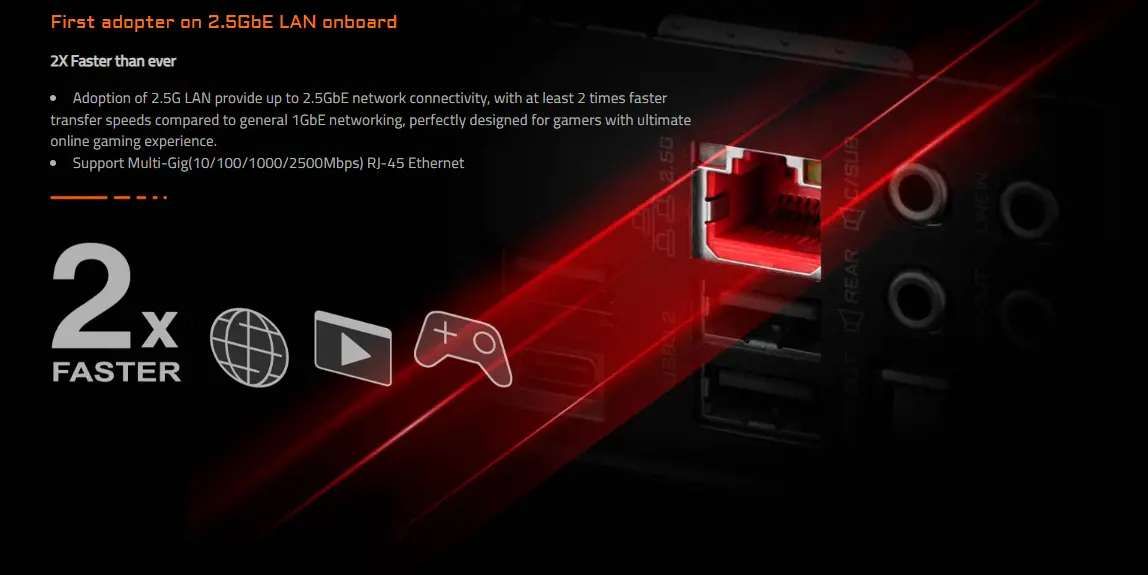
First adopter on 2.5GbE LAN onboard
GIGABYTE integrates 2.5GbE LAN directly on the motherboard, offering network speeds up to twice as fast as standard 1GbE connections. This high-speed Ethernet is ideal for gamers seeking smoother, more responsive online experiences. The RJ-45 port supports Multi-Gig speeds, including 10/100/1000/2500Mbps, for broad compatibility and performance.
Front USB-C® 10Gb/s:
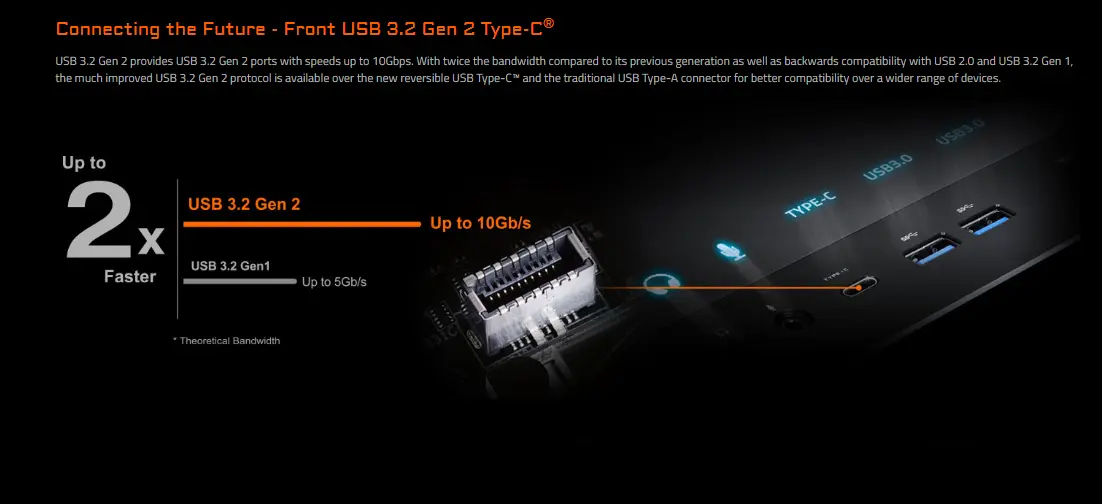
Connecting the Future - Front USB 3.2 Gen 2 Type-C
The front USB 3.2 Gen 2 Type-C® port delivers data transfer speeds of up to 10Gbps—twice as fast as the previous generation. It supports both the new reversible USB Type-C™ connector and the traditional USB Type-A, ensuring broad compatibility with a wide range of devices. It is also backward compatible with USB 2.0 and USB 3.2 Gen 1 standards.
Hi-Fi Audio:
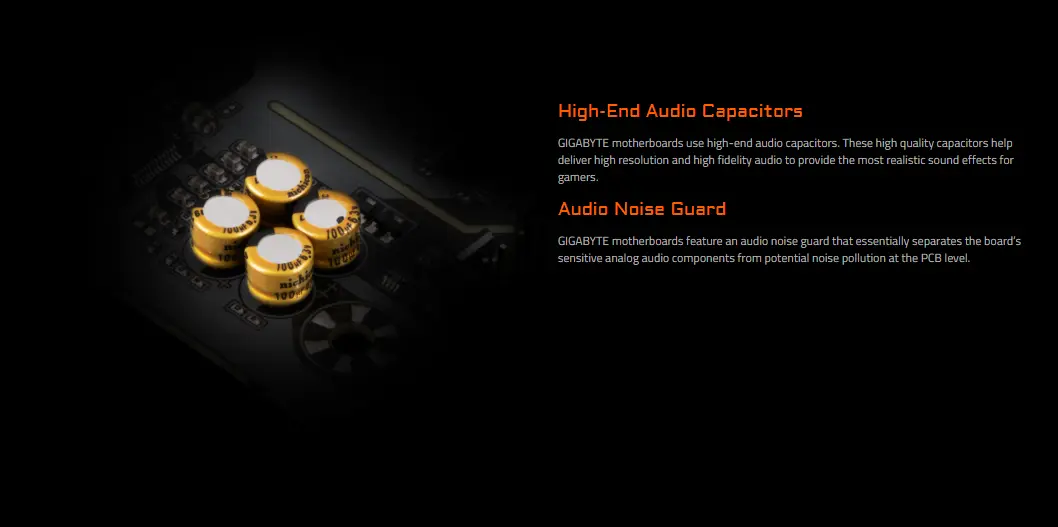
GIGABYTE motherboards are equipped with high-end audio capacitors that deliver high-resolution, high-fidelity sound for a more immersive and realistic gaming experience. To ensure clean audio output, an integrated audio noise guard isolates the analog audio components from potential electrical interference on the PCB.
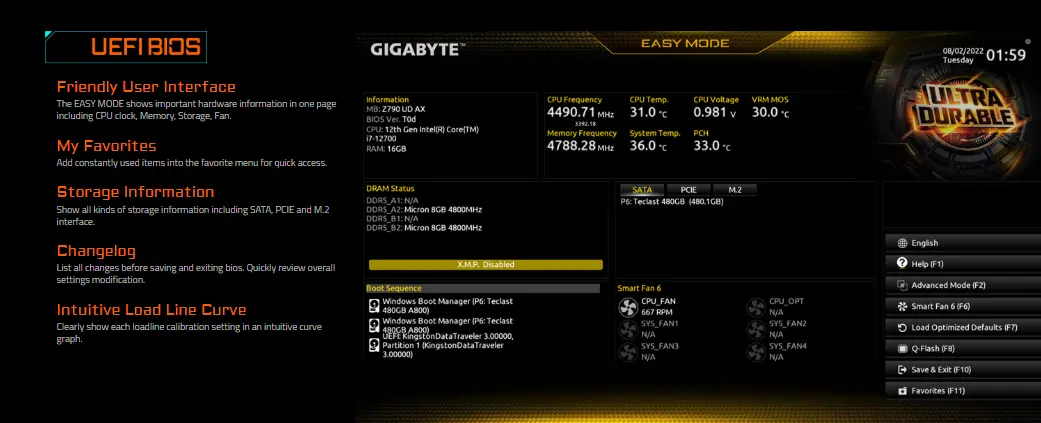
UEFI BIOS:
User-Friendly Interface:
The EASY MODE presents key hardware information—such as CPU clock, memory, storage, and fan status—all on a single, easy-to-read page.
My Favorites:
Frequently used settings can be added to a custom "Favorites" menu for quick and convenient access.
Storage Information:
Displays detailed information for all connected storage devices, including those on SATA, PCIe, and M.2 interfaces.
Changelog:
Before saving and exiting, a summary of all modified settings is shown, allowing users to review changes at a glance.
Intuitive Load Line Curve:
Each load line calibration setting is visualized through a clear, easy-to-understand curve graph for precise voltage tuning.
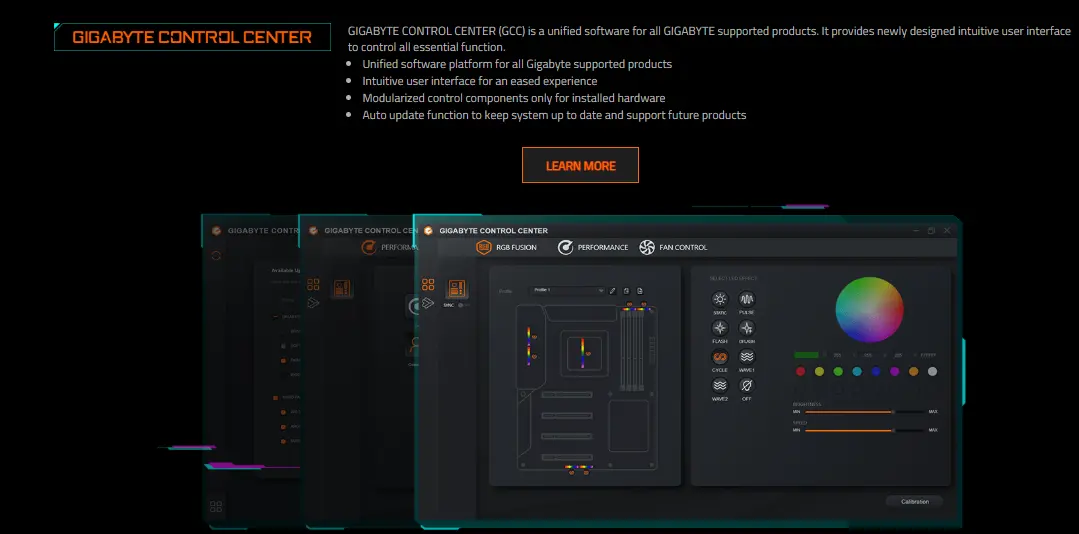
GIGABYTE Control Center:
GIGABYTE Control Center is an all-in-one software platform designed to manage all GIGABYTE-supported products. It features a newly designed, intuitive interface for easy access to essential functions. The software is modular, displaying control options only for the hardware currently installed. Additionally, it includes an automatic update feature to keep your system current and ensure compatibility with future products.
Ultra Durable:
DIY Friendly:
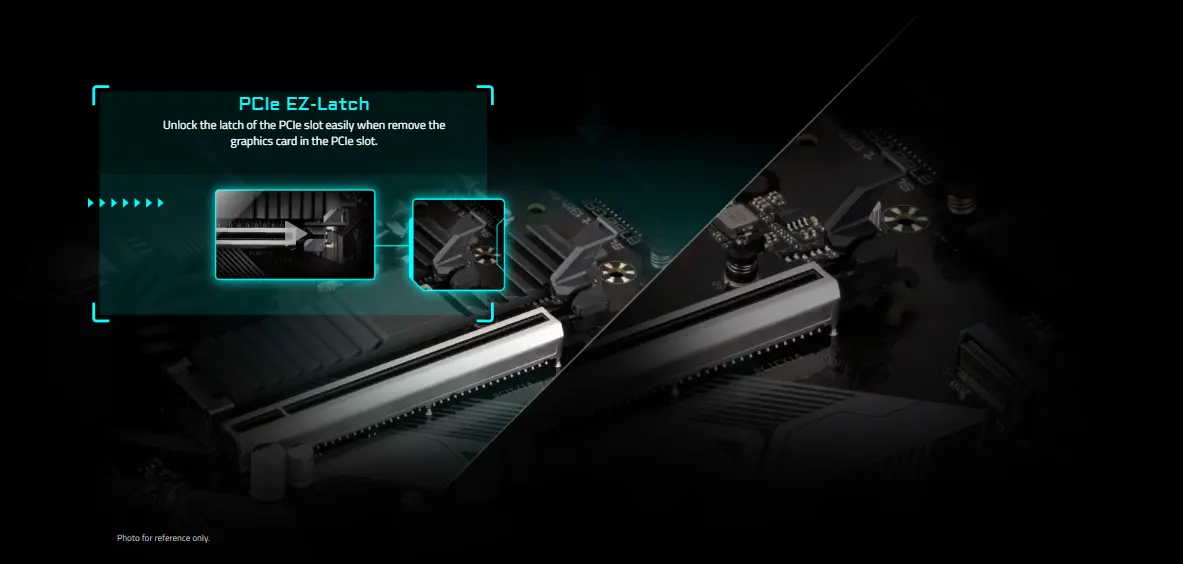
PCIe EZ-Latch
The PCIe EZ-Latch makes it easy to unlock and remove your graphics card from the PCIe slot, simplifying hardware upgrades and installations.
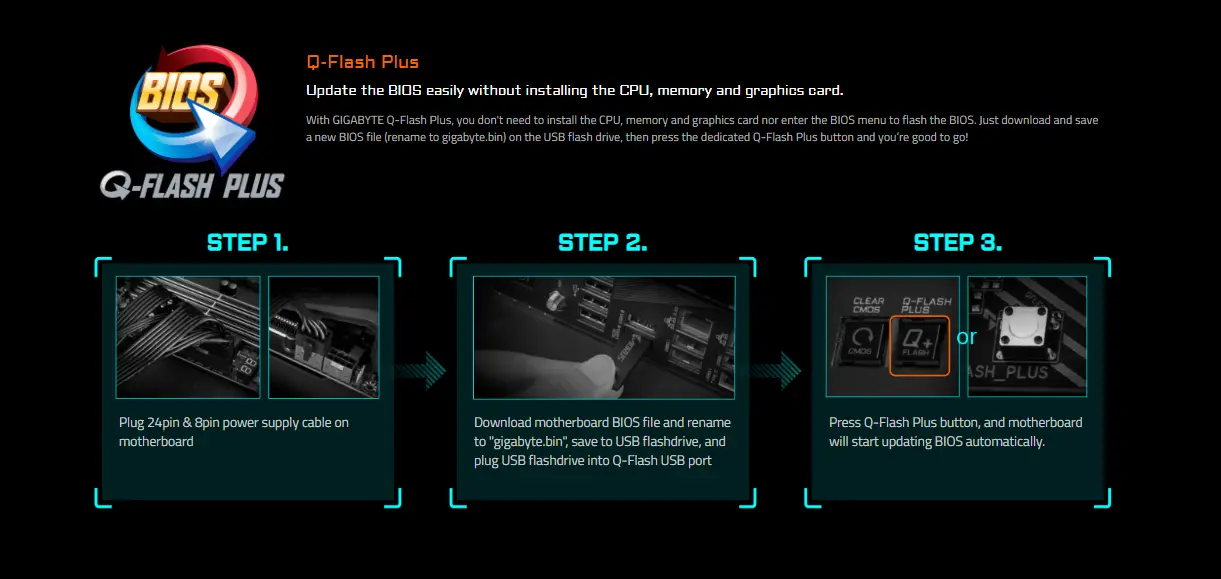
Q-Flash Plus:
Easily update the BIOS without installing the CPU, memory, or graphics card. With GIGABYTE Q-Flash Plus, you can flash the BIOS without entering the BIOS menu or assembling your full system.
How it works:
- Connect the 24-pin and 8-pin power cables to the motherboard.
- Download the latest BIOS file, rename it to "gigabyte.bin", save it to a USB flash drive, and insert the drive into the dedicated Q-Flash USB port.
- Press the Q-Flash Plus button, and the motherboard will begin the BIOS update automatically.
View More of Motherboards
No reviews found

